
| 일 | 월 | 화 | 수 | 목 | 금 | 토 |
|---|---|---|---|---|---|---|
| 1 | ||||||
| 2 | 3 | 4 | 5 | 6 | 7 | 8 |
| 9 | 10 | 11 | 12 | 13 | 14 | 15 |
| 16 | 17 | 18 | 19 | 20 | 21 | 22 |
| 23 | 24 | 25 | 26 | 27 | 28 | 29 |
| 30 | 31 |
- 인공지능 수학
- AP Computer Science A
- SVM
- 파이썬
- 인공지능
- 서열정렬
- 바이오파이썬
- 단백질 구조 예측
- 인공신경망
- BLaST
- 딥러닝
- 생물정보학
- COVID
- AP
- 캐글
- RNN
- 결정트리
- Kaggle
- ncbi
- 자바
- 알파폴드
- 시그모이드
- 이항분포
- 바이오인포매틱스
- CNN
- 오류역전파
- 로제타폴드
- bioinformatics
- 생명정보학
- Java
- Today
- Total
데이터 과학
ArrayList 예제 -2 본문
이번 예제는 ArrayList를 사용하여 학생 정보를 출력하는 내용입니다.
자바언어에서의 ArrayList 개념은 아래 링크에 잘 나와 있으니 한번 내용을 살펴보고 아래 예제를 컴파일해 보면 그 의미를 쉽게 알 수 있을 것입니다.
https://tsyoon.tistory.com/169
자바언어에서 ArrayList
ArrayList는 자바 프로그래밍 언어에서 제공되는 클래스로, 배열과 비슷한 동적인 크기의 목록을 저장할 수 있는 자료 구조입니다. ArrayList는 java.util 패키지에 속해 있으며, 배열과는 달리 크기를
tsyoon.tistory.com
import java.util.ArrayList;
class Student {
int studentID; // 학번
String studentName; // 이름
ArrayList<Subject> subjectList; // ArrayList 선언하기
public Student(int studentID, String studentName) {
this.studentID = studentID;
this.studentName = studentName;
subjectList = new ArrayList<>(); // ArrayList 생성하기
}
public void addSubject(String name, int score) {
Subject subject = new Subject(); // Subject 생성하기
subject.setName(name);
subject.setScorePoint(score);
subjectList.add(subject); // add함수를 이용하여 추가
}
public void showStudentInfo() {
int total = 0;
for(Subject s : subjectList) {
total += s.getScorePoint();
System.out.println("학생 "+studentName+"의 "+s.getName()+" 과목 성적은 "+s.getScorePoint()+"입니다.");
}
System.out.println("학생 "+studentName+"의 총점은 "+total+" 입니다.");
}
}
class Subject {
private String name; // 과목 이름
private int scorePoint; // 과목 점수
public String getName() {
return name;
}
public void setName(String name) {
this.name = name;
}
public int getScorePoint() {
return scorePoint;
}
public void setScorePoint(int scorePoint) {
this.scorePoint = scorePoint;
}
}
public class StudentTest {
public static void main(String[] args) {
Student studentLee = new Student(1001, "Lee");
studentLee.addSubject("국어", 100);
studentLee.addSubject("수학", 50);
Student studentKim = new Student(1002, "Kim");
studentKim.addSubject("국어", 70);
studentKim.addSubject("수학", 85);
studentKim.addSubject("영어", 100);
studentLee.showStudentInfo();
System.out.println("================================");
studentKim.showStudentInfo();
}
}
결과
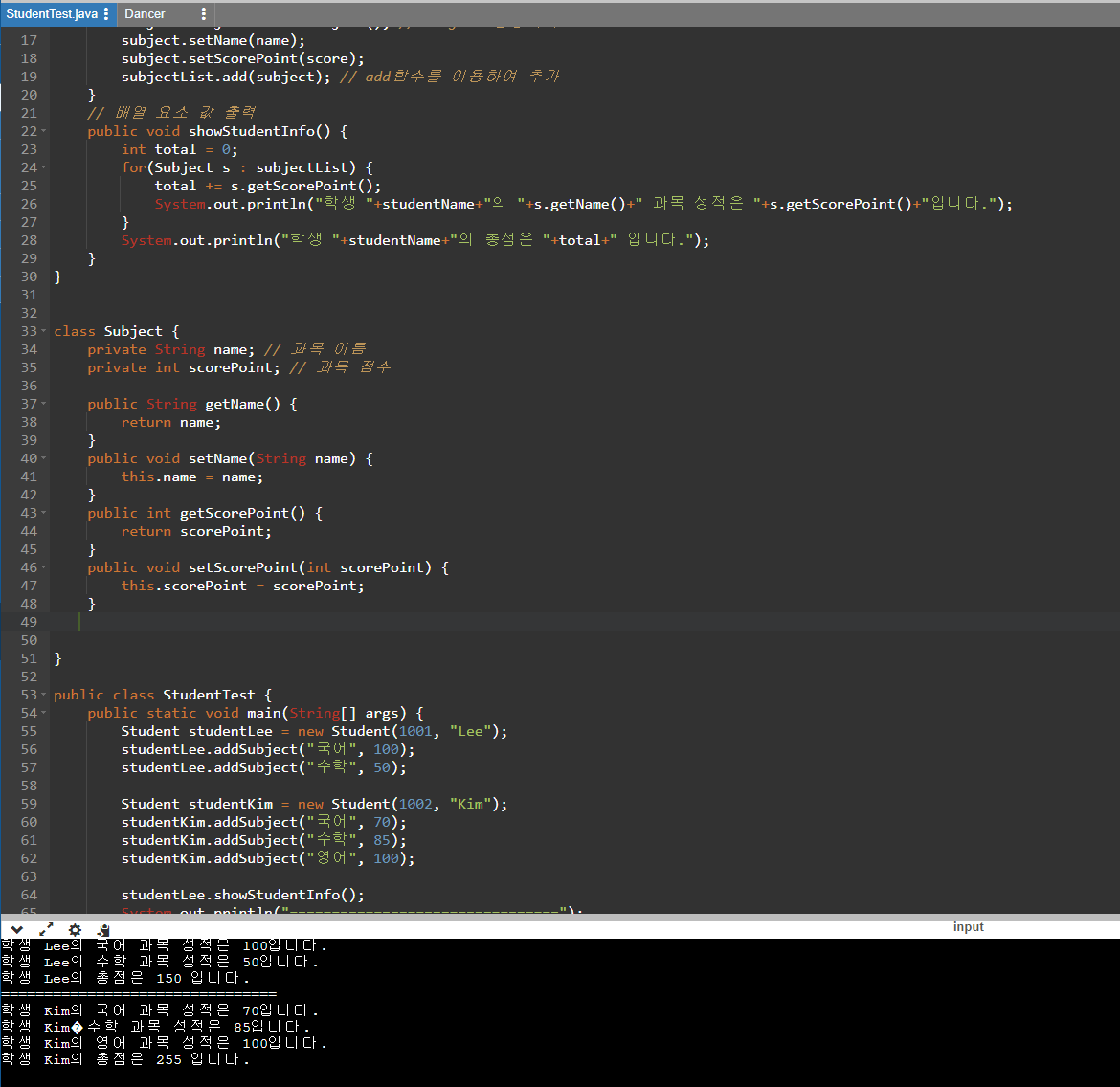
프로그램 소스가 있으니 온라인 컴파일로 실습을 해 봅시다.
https://www.onlinegdb.com/online_java_compiler#
Online Java Compiler - online editor
OnlineGDB is online IDE with java compiler. Quick and easy way to run java program online.
www.onlinegdb.com
'AP > AP Computer Science A' 카테고리의 다른 글
| 배열에서 출력 문제 (StudentTest) (0) | 2024.08.27 |
|---|---|
| ArrayList - add(), get(), set(), remove() (0) | 2024.06.04 |
| 추상화와 super 예제 (0) | 2024.06.04 |
| 상속에서 생성자와 super 연산 (0) | 2024.06.04 |
| 상속 예제 (0) | 2024.05.31 |


